Screen printing and heat transfer can both produce attractive custom tote bags, but they solve different production problems. Screen printing builds an image by pushing ink through prepared screens. Heat transfer applies a prepared graphic with controlled heat, time and pressure. Those differences affect setup cost, color behavior, surface feel, output speed and the defects a buyer should inspect.
The better method is not the one with the longest list of advantages. It is the one that fits the approved bag, artwork, order volume and end-use expectations. This comparison is written for buyers who have narrowed the choice to these two processes. For an overview of DTG, DTF, sublimation and other options, read our Custom Tote Bag Printing Methods guide. For the supplier-selection and production framework around the decoration decision, use the Custom Bag Manufacturer Guide. You can also compare the constructions available in our custom tote bag collection.
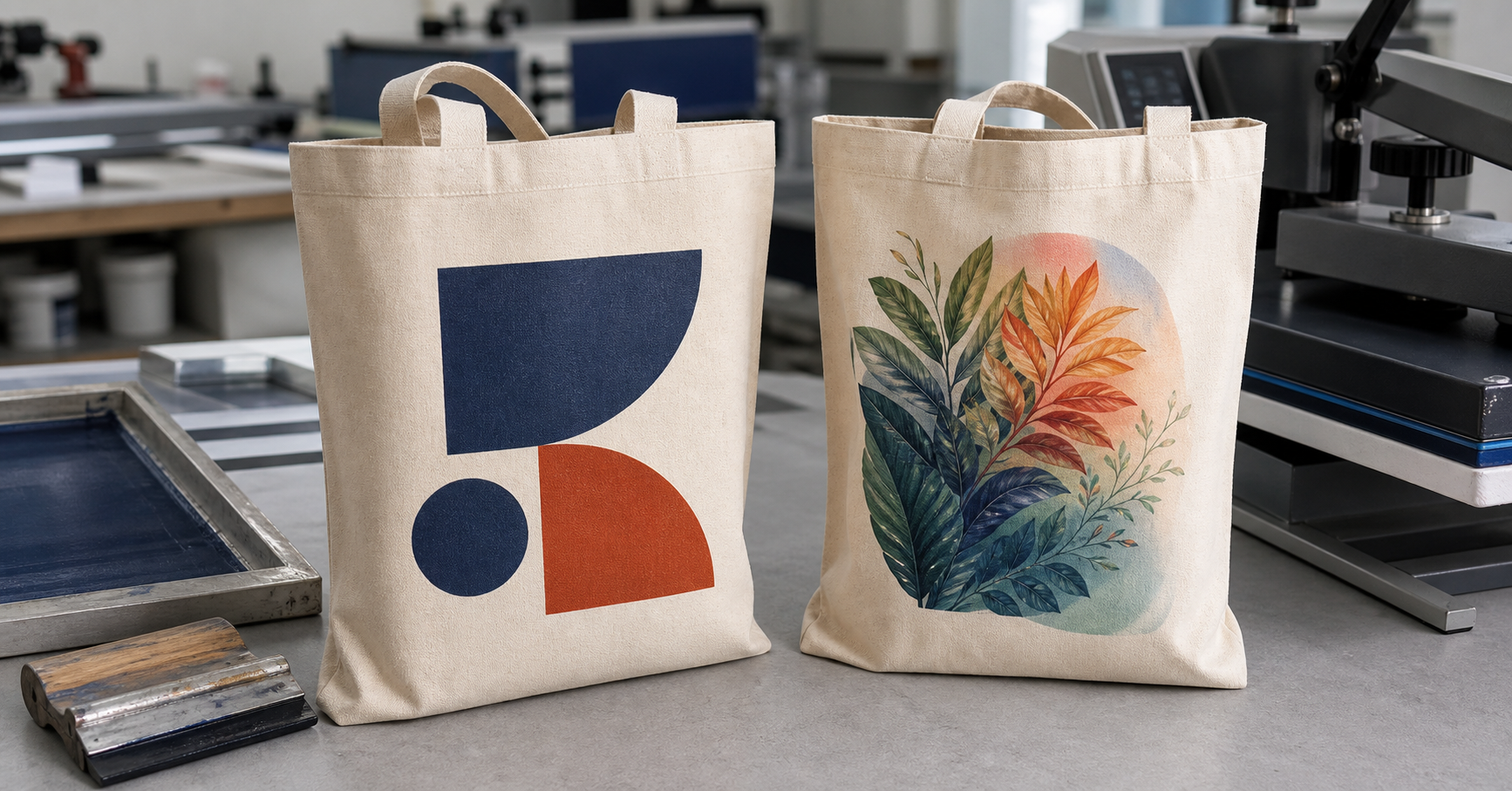
A bold spot-color screen print and a detailed transfer can both be correct choices when the artwork and substrate support the process.
Need a print route that can be sampled and repeated? Send the destination and intended use, fabric composition/weight/finish/colour, artwork file and print size/positions/colours, quantity by artwork and SKU, required hand and appearance, rubbing/wash/care tests, sample gates, packing, Incoterm and arrival date. LUCKYSTAR can return its own proposed route, approval plan and quotation assumptions.
Screen printing vs heat transfer: the short answer
Choose screen printing first when the design uses a small number of solid colors, the order is large enough to absorb screen setup, and the buyer wants a direct printed look. Choose heat transfer first when the artwork is detailed, contains many colors, changes between units, or must be produced in a smaller batch. Then challenge that first choice against fabric texture, bag color, print area, hand feel and the required performance test.
| Decision factor | Screen printing | Heat transfer |
|---|---|---|
| Best starting artwork | Bold logos, type and spot-color graphics | Fine detail, gradients, full color, names or special-effect films |
| Order profile | Usually stronger for repeat volume after setup | Often practical for short runs and variable graphics |
| Surface character | Ink is deposited directly onto the textile | A transfer layer or film is bonded to the surface |
| Main process risk | Registration, coverage, opacity and cure | Edge lift, scorching, pressure marks, cracking or unsuitable film |
| Color changes | Each spot color normally affects setup | Printed transfers can carry many colors in one graphic |
| Personalization | Possible, but not normally the simplest route for one-off names | Well suited to changing names, numbers or small design batches |
How screen printing works on tote bags
Screen printing begins with color separation. A stencil is prepared for each print color, and ink passes through the open part of the mesh onto the bag panel. On a multicolor design, the printer controls the order of colors and their alignment. Dark totes may need an underbase so lighter colors remain visible. The ink must then reach the cure condition required by the ink system.
This is why screen printing has a setup component that does not disappear when the quantity is small. Screens, alignment and color preparation must be completed before the production run. Once the setup is stable, the same design can be repeated efficiently. Large solid areas and simple brand marks are common strengths, although coarse canvas may interrupt very fine lines and tiny reversed text.
Ink selection matters as much as the general method. The current Avient Specialty Inks product guide distinguishes named product systems by substrates such as cotton, polyester, poly-cotton and untreated nylon, with system-specific cure and performance information. Use it as manufacturer guidance for the identified ink products, then document the actual ink, substrate, cure controls and approval tests for the order. “Screen print” alone is not a complete technical specification.
| Screen-print variable | Why it changes the result | What the buyer should approve |
|---|---|---|
| Mesh and ink deposit | Affect detail, coverage and surface feel | Finished strike-off, not only a digital artwork file |
| Underbase | Improves visibility on dark fabric but can add thickness | Opacity and acceptable hand on the actual bag color |
| Registration | Misalignment creates colored gaps or overlaps | Edge alignment at normal viewing distance and close inspection |
| Cure | Under-cured ink can rub, crack or lose adhesion | Agreed process check and finished-product performance |
| Panel access | Seams, pockets and handles can disturb a flat print stroke | Whether decoration occurs before sewing or on a finished tote |
How heat transfer works on tote bags
Heat transfer is a family of processes rather than one material. A cut heat-transfer vinyl, a digitally printed transfer, a reflective film and a metallic film can have different bonding rules and different surface behavior. The supplier uses a press to apply controlled temperature, dwell time and pressure, then removes the carrier according to the transfer system.
Heat transfer can simplify full-color artwork because the image does not require a separate screen for every color. It can also make personalization and short design batches practical. The trade-off is that the graphic normally remains a distinct layer on the textile. A buyer should assess its edge, flexibility, gloss and hand, especially on a large print area.
Application settings cannot be copied casually from another project. The current STAHLS operator manual instructs operators to use the directions supplied with the selected transfer and explains why correct pressure matters. Record the actual transfer system, press, temperature, dwell time, pressure and peel/cooling sequence, then confirm the result on the proposed production fabric. The manual does not create a universal recipe for every transfer or tote.
| Heat-transfer variable | Possible failure | Approval check |
|---|---|---|
| Transfer type | A film may be too rigid, glossy or incompatible | Record the exact system and physical reference |
| Temperature | Too low can weaken bonding; too high can distort or scorch fabric | Confirm fabric appearance and adhesion after pressing |
| Pressure | Uneven pressure can leave weak edges or visible platen marks | Inspect the whole graphic, especially corners and narrow details |
| Dwell time and peel | Incorrect timing can cause incomplete release or surface damage | Use the approved production settings and peel method |
| Bag construction | Seams and handles prevent uniform press contact | Approve the pressing position and platen access |
Artwork: solid spot colors or detailed full color?
Artwork is often the fastest filter. A one-color logo with strong shapes is a natural screen-print candidate. A photographic illustration, soft gradient or series of personalized names may point toward a transfer. That does not mean every simple logo must be screen printed or every full-color design must be transferred. Quantity, surface texture and feel can reverse the choice.
For screen printing, provide vector artwork where possible, identify each spot color and define the final physical size. Very thin lines may need to be strengthened for a textured tote. For heat transfer, supply a print-quality file with enough resolution at final size and a clean transparent edge. Confirm whether small floating details are practical and whether a contour or background shape will improve bonding.
| Artwork condition | Likely first choice | Question before approval |
|---|---|---|
| One or two solid brand colors | Screen printing | Does the order volume justify screens and color setup? |
| Photographic or tonal image | Printed heat transfer | Is the transfer hand acceptable at the requested size? |
| Individual names or numbers | Heat transfer | How will variable data be checked before pressing? |
| Large solid block | Compare both | Which sample has the better feel, coverage and flex? |
| Metallic, reflective or specialty film effect | Heat transfer | Does the film supplier approve the bag substrate? |
Quantity and cost: look beyond the unit-price headline
Screen printing normally has front-loaded costs for screens, separations and setup. That cost can become efficient when spread across a stable production quantity. Heat transfer may have less color-by-color setup, but the transfer itself and the pressing cycle add a recurring cost to each bag. The crossover point changes with the number of colors, print size, film type, bag construction and local production setup.
Ask for a quotation that separates decoration setup, per-unit application, sampling and any extra underbase or specialty-film cost. Our guide to custom bag cost drivers explains why a reliable quote needs construction and decoration details rather than only a bag quantity.
| Cost component | Screen printing | Heat transfer |
|---|---|---|
| Initial setup | Screens, separations, alignment and ink preparation | Artwork output, transfer preparation and press setup |
| Effect of extra colors | Usually increases screen and production complexity | A printed transfer may carry many colors without separate screens |
| Per-unit work | Print sequence and curing | Transfer material, positioning and individual pressing |
| Design variation | New screens or setup may be needed | Often easier to divide into variable or short design batches |
| Reorder economics | Can improve if screens and color standards are managed for repeat use | Depends on transfer availability and repeat press time |
Fabric, color and weight can change the answer
A smooth cotton tote and a coarse heavy canvas tote do not present the same surface. Screen ink can bridge and settle differently across a textured weave. A transfer may bond to the high points while showing its edge more clearly. Lightweight cotton can be marked by excessive heat or pressure, while some synthetic or coated materials require specially qualified inks or films.
Do not choose decoration before the bag specification is stable. Compare canvas vs cotton tote bags and review the best fabric weight for custom tote bags if the base material is still under discussion.
| Substrate condition | Screen-print concern | Heat-transfer concern |
|---|---|---|
| Natural cotton | Absorbency and weave can affect sharpness and coverage | Check surface change, bonding and hand |
| Heavy canvas | Texture may break fine detail | Film edge and contact across the weave need review |
| Dark fabric | Underbase may be needed for opacity | Confirm white base, color result and edge appearance |
| Polyester blend | Dye migration and cure window may require a qualified ink | Heat sensitivity and dye migration must be tested |
| Coated or treated surface | Ink adhesion may change | Bonding can fail without a compatible transfer |
Hand feel and durability are separate decisions
Buyers sometimes use “durable” as if it describes every aspect of a print. A decoration can resist rubbing yet feel too heavy. It can flex well yet have poor edge adhesion. It can look bright at approval but change after a care cycle. Define the actual end use and the property that matters.
For screen printing, examine cure, adhesion, opacity, cracking and rubbing. For heat transfer, examine edge lift, delamination, cracking, flex, gloss change and fabric marks. The published ISO 105-X12:2016, currently under systematic review, covers dry and wet rubbing colour fastness of textiles, including printed textiles. If rubbing matters, name the edition, specimen conditioning, dry/wet procedure, evaluation scale, sample count and acceptance criteria. Add separate agreed methods for washing, adhesion, cracking, flexing or other end-use risks; an ISO 105-X12 result does not prove them.
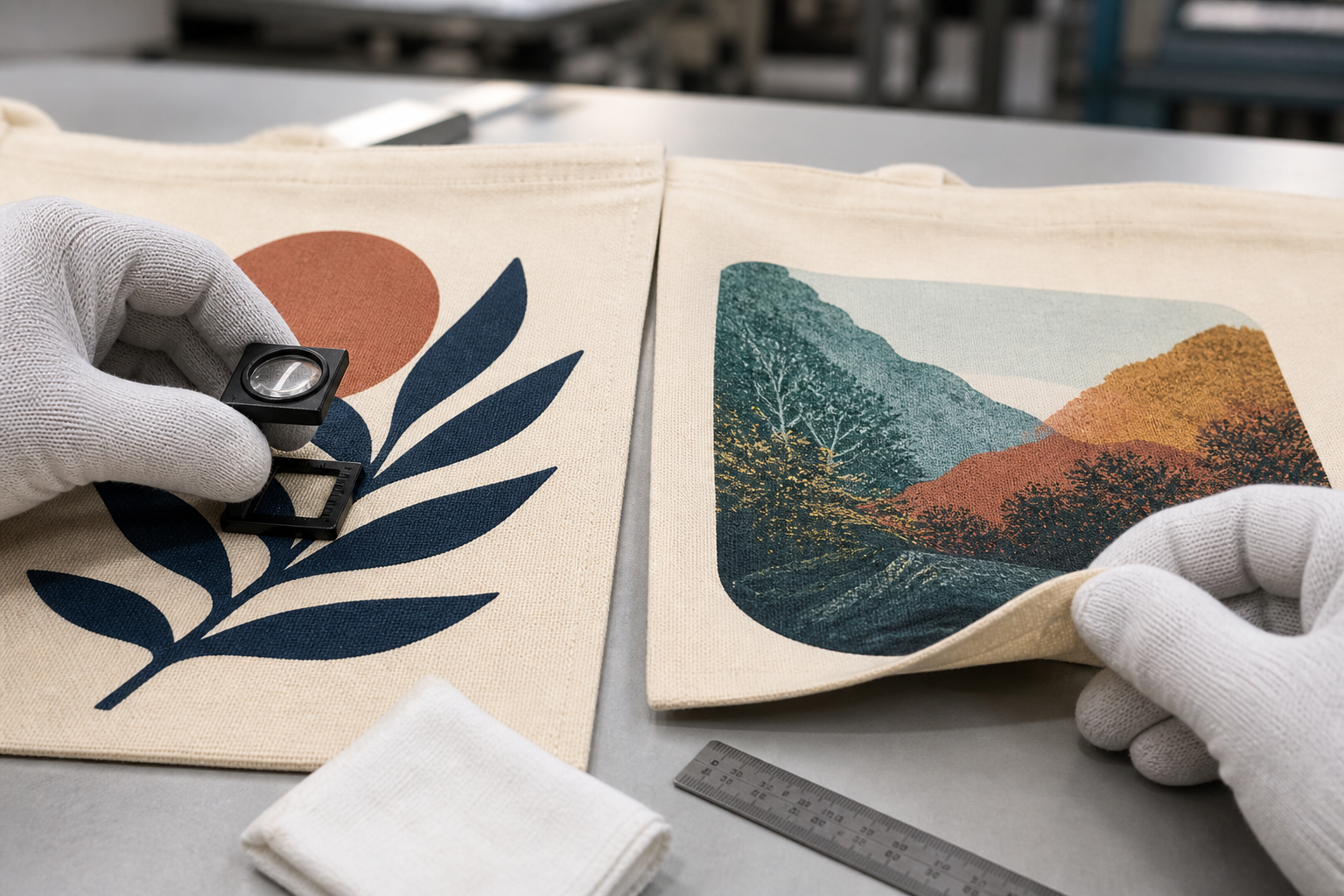
Inspect each method for its own failure modes: ink coverage and cure on one side, transfer edge, bond and surface marks on the other.
| Evaluation | Screen-print focus | Heat-transfer focus |
|---|---|---|
| Visual check | Coverage, opacity, registration and pinholes | Edge, contour, color, gloss and pressure marks |
| Hand and flex | Ink deposit and cracking on repeated bending | Film stiffness, edge stress and crease recovery |
| Dry and wet rubbing | Crocking or ink transfer | Surface abrasion and edge behavior |
| Care cycle, when claimed | Color, cracking and adhesion after the agreed cycle | Bond, cracking, shrink interaction and delamination |
| Packing simulation | Blocking or ink transfer under pressure | Creasing or film-to-film contact marks |
Sample before choosing the winner
A digital mockup cannot show ink deposit, transfer thickness or the way heat changes the fabric. Ask for decorated strike-offs on the production material, followed by a finished sample when seams, pockets or handles may affect placement. If the choice remains close, approve one screen-printed and one transferred comparison sample at the same physical size.
Record the chosen material, bag color, artwork version, print size, position, color target, process, ink or transfer system, application settings where relevant and acceptance tests. The custom bag sample development process provides a wider framework for moving from a design concept to an approval reference.
| Sample checkpoint | Approve in writing | Common warning |
|---|---|---|
| Artwork | Version, size, colors and any simplification | Supplier and buyer are viewing different files |
| Substrate | Composition, color, weight and surface finish | Sample is printed on smoother or lighter fabric |
| Physical result | Color, placement, hand, edge and appearance | Approval is based only on a photograph |
| Performance | Test method, conditioning and acceptance level | “Pass” is stated without conditions or result |
| Bulk reference | Signed sample ID and production tolerance | No retained standard is available for inspection |
Bulk quality control: inspect the process you selected
Inspection should not treat all decoration defects as interchangeable. A screen-printed tote can have off-register colors, blocked fine details, uneven coverage or insufficient cure. A transferred tote can have lifting corners, incomplete release, incorrect contour, pressure marks or a film that was applied off position.
Check first-off pieces before the full run, keep approved references at the workstation, and inspect again after decoration and sewing. Use the Custom Bag Quality Inspection Checklist to connect decoration checks with measurements, stitching, hardware, packing and shipment release.
| Production stage | Control point | Reason |
|---|---|---|
| Before decoration | Fabric lot, panel orientation and artwork version | Prevents printing the wrong base or reversed placement |
| First-off approval | Color, size, position, feel and process settings | Finds setup problems before volume accumulates |
| In-process check | Registration or transfer edge plus contamination | Detects drift, debris and operator variation |
| Post-decoration | Cure or adhesion and agreed performance samples | Confirms the graphic is not only visually acceptable |
| Final inspection | Defect sampling, quantity and packing protection | Prevents pressure, creasing or transfer marks during shipment |
Company-claim boundary: the following section is LUCKYSTAR publisher self-description and a commercial service proposal. It is not independent proof of factory ownership, in-house printing, ink or transfer availability, process capability, durability, certification, MOQ, price, capacity, sample or bulk quality, or delivery. Legal seller, nominated production and decoration sites, materials, process, tests, samples, inspection and schedule depend on the exact order and written confirmation.
How LUCKYSTAR describes its print-route review
LUCKYSTAR states that it can review the actual tote and artwork brief and propose an order-specific decoration route for sample validation.
- Identify the substrate: record fibre composition, weight, weave, finish, colour and whether any coating or treatment affects ink or bonding.
- Control the artwork: freeze file version, dimensions, colours, underbase/white layer, placement and permitted simplification or trapping.
- Name the route: identify the proposed ink or transfer system, process location, application controls and any outsourced step.
- Approve production-equivalent evidence: evaluate strike-off or decorated sample on the proposed fabric for colour, hand, edge, opacity, marks and intended care.
- Define bulk controls: retain the approved reference and state test methods, tolerances, sampling, reapproval triggers and action for nonconformance.
Review the custom tote bag range and sample-development guide, then send the controlled print brief for an order-specific response.
FAQ: screen printing vs heat transfer for tote bags
FAQ: screen printing vs heat transfer for tote bags
Which method lasts longer on a tote bag?
Neither method is automatically more durable. Screen-print performance depends on the ink, substrate, deposit and cure. Heat-transfer performance depends on film compatibility and controlled time, temperature and pressure. Compare samples under the same agreed test and care conditions.
Is screen printing always cheaper for bulk orders?
It often becomes economical for stable, low-color artwork at volume, but there is no universal quantity threshold. Extra colors, underbase, large print areas, special inks and production location change the crossover. Ask for both pricing routes when the decision is close.
Is heat transfer suitable for canvas tote bags?
It can be, provided the selected transfer bonds to the actual canvas and the buyer accepts the edge and hand on that texture. A transfer approved on smooth cotton should not be assumed to perform identically on heavy canvas.
Can screen printing reproduce a photograph?
Advanced screen printing can use halftones and process-color techniques, but that is different from a basic spot-color job. Fine tonal detail becomes harder on textured fabric. Compare a real sample with a qualified printed transfer if photographic fidelity is important.
Can one order use both methods?
A combined route can be proposed, but suitability is order-specific. The nominated decorator should test the sequence on the production-equivalent fabric and confirm that heat, pressure, cure and handling for the second process do not damage the first. Approve the finished colour, position, hand, edges and agreed performance tests before bulk release.
Approve the repeatable print result, not a process label
Connect the substrate and artwork to a named ink or transfer system, production-equivalent approval sample, application controls, test methods, acceptance criteria and retained bulk reference.

Review LUCKYSTAR custom tote bag options, then send the print-process brief through the contact form or Email a project brief. The email link opens a prefilled draft for your review before sending.
Legal seller and facility, ink/transfer and substrate availability, process route, samples, tests, inspection, MOQ, price, packing, schedule and delivery terms are subject to current evidence, final specification, quotation, contract and written confirmation.